
MEDICARE 101 · STEP BY STEP
Your Social Security account & Medicare sign-up
Get ready, create your secure sign-in, then choose the Medicare application that fits your situation.
1. Have these items ready
- Your legal name, date of birth, Social Security number and current home address.
- An email address you can open immediately.
- A government-issued photo ID. Login.gov currently lists a U.S. driver’s license, state ID, mobile driver’s license or passport book/card; accepted documents depend on the verification route.
- A phone or another supported sign-in authentication method. Keep access to it after setup.
- A camera-equipped device for ID photos or a selfie if requested. ID.me may also require camera-based verification.
For Login.gov identity verification, a U.S. phone number or mailing address is needed. If online verification fails, follow the alternatives offered, which may include mail or an eligible in-person option. Check Login.gov requirements ↗
2. Start on SSA.gov
Open SSA.gov/myaccount. Choose Create an account with LOGIN.GOV if you need a new sign-in. SSA recommends Login.gov if you are unsure; ID.me is another supported option, including for people outside the U.S. Already have either account? Use your existing sign-in.
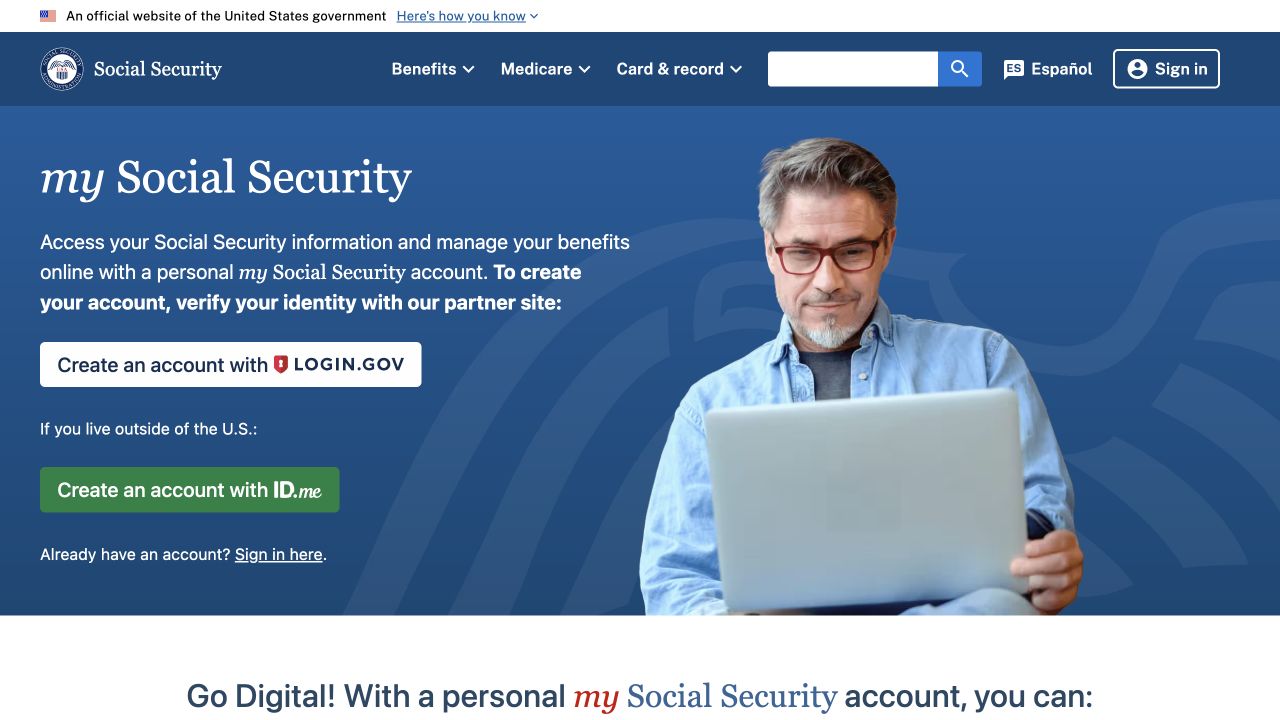
3. Follow the secure setup prompts
- Confirm your email and create your password.
- Set up the authentication method offered by your chosen service.
- Complete identity verification and return to Social Security.
SSA requires account holders to be at least 18 with a valid email. SSA estimates setup can take 5–20 minutes, but verification problems or mailed steps can take longer. SSA’s account instructions ↗
Your account stays yours. Use your own email and credentials. If someone assists, you should enter your password and verification codes yourself. Do not send Jesse your password, codes, ID photos or Social Security number by text or email.
4. Choose the right Medicare application
Go to SSA’s Medicare sign-up page. For your own application for Parts A and B, or Part A only, look for Apply for myself. If you already have Part A and need Part B, choose Get started under Sign up for Part B only instead.
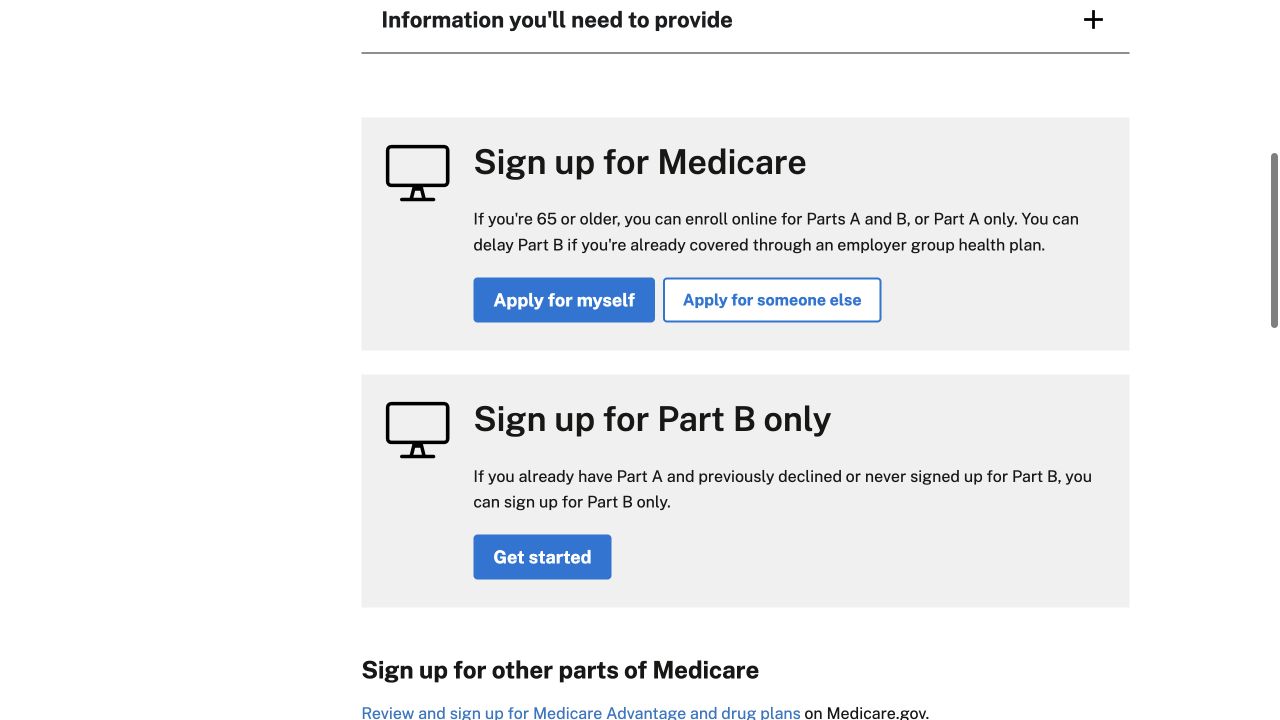
Have your birthplace and employer group health coverage dates ready. Part B-only applicants also need their Medicare number and email. Save the confirmation after you submit. SSA enrollment checklist ↗
Still working? Check before submitting
Confirm your coverage and requested Part B start date with your employer benefits administrator and SSA. Current-employment group coverage may permit a delay; employer size and coordination rules matter. COBRA and retiree coverage are not the same as coverage based on current employment. Do not assume you can delay just because you still have insurance.
If applying for Part B through an employer-coverage Special Enrollment Period, employment verification may be needed. SSA lists forms CMS-40B and CMS-L564 for the mail/fax route. HSA contributors should ask about Medicare’s effect on contribution eligibility before enrolling.
Medicare: Working past 65 ↗ · SSA: Part B-only enrollment ↗
Need another way to apply?
Call Social Security at 1-800-772-1213 (TTY 1-800-325-0778) to ask about an appointment. SSA lists phone hours of Monday–Friday, 8 a.m.–7 p.m. in most U.S. time zones.